As part of the Kingdom of Saudi Arabia's ongoing efforts towards comprehensive digital transformation and achieving the goals of Vision 2030, the Ministry of Interior continues to develop its electronic services to facilitate the lives of citizens and residents. In this context, the "Absher" platform has clarified the streamlined procedures for obtaining travel permits for family members, a vital service for a wide segment of Saudi families, especially with the approach of holiday and travel seasons.
Steps to issue travel permits electronically
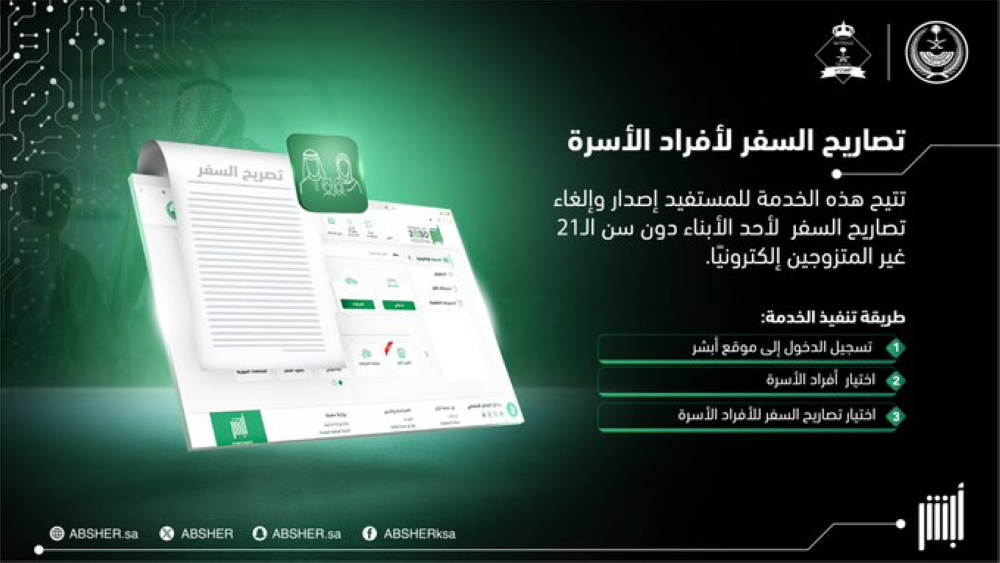
The Absher platform confirmed via its official social media account that beneficiaries can easily issue and cancel travel permits for unmarried children under the age of 21. The process for this service consists of three main, straightforward steps:
- Log in to the beneficiary's account on the Absher electronic platform.
- Switch to the "Family Members" list.
- Select the "Travel Permits" service for family members and follow the instructions to complete the process.
Family Registry Services: A Qualitative Leap in Civil Status
The services offered by the "Absher" platform are not limited to travel permits; they extend to a comprehensive suite of civil status services that eliminate the need for beneficiaries to visit government offices, thus saving time and effort and reducing congestion. Among the most prominent of these services are those related to family records
- Issuance of the Family Record: A service dedicated to newly married citizens, where they can request the document electronically and have it delivered to their place of residence.
- Family record update: Allows adding newborns or modifying marital statuses and updating data instantly.
- Issuance of a replacement for a lost or damaged document: In case of loss or damage to the document, the beneficiary can report it and request a replacement copy without having to visit the Civil Status offices.
How to access family registry services
To benefit from these diverse services, the user can follow this path within the platform:
- Log in to the Absher platform.
- Click on the "My Services" tab.
- Select "Civil Status".
- Click on "Family Registry Services".
The importance of digital transformation via Absher
The Absher platform, the technological arm of the Ministry of Interior, has revolutionized the way government services are delivered in the Kingdom. What once required in-person attendance and paperwork that took days to complete can now be done in minutes through the app or website. This transformation not only increases the efficiency of government operations but also enhances the quality of life for citizens and residents, placing the Kingdom among the leading countries in e-government.